Showing posts with label Typing Tutors. Show all posts

Wednesday, 11 July 2012

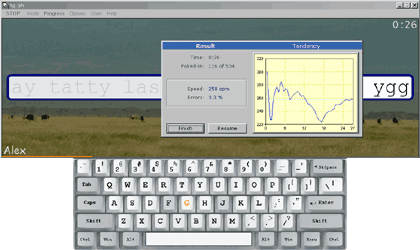
Kiran's Typing Tutor


Kiran's Typing Tutor

Easy to use and effective typing programme. Basic typing lessons enable beginners to understand Touch typing
  • Typing practice in Kiran's Typing Tutor is much more advanced and scientifically designed
  • User friendly and self explanatory designing
  • There are more than 500 typing practice lessons and more than 500 testing lessons
  • Finger preview feature shows what Finger to struck
  • Key preview feature shows what key to be pressed
  • Key press feature shows what key we are pressing
  • It calculates and shows Accuracy, Word per minute and key per minute after every lesson
  • It measures your typing speed, errors for each letter and accuracy and analyses shows as understandable graphs in progress window
  • Kids Typing module includes five deferent types of lessons designed for age groups from 4 to 8 years
  • Numeric Typing module designed to teach numeric key board
  • Typing Games module includes four different type of games designed to learn typing while relaxing
  • User friendly help system is available at all the time
  • Customizable settings and options are available and supports multiple users

 
Click to Download
 
Minimum Requirements:
CPU: Pentium 300Mhz or better
RAM: 64MB or better
Free hard disk drive space: 10 MB or more
Monitor: High resolution colour monitor, minimum resolution 1024*768
Operating System: Windows 98/ME/NT/2000/XP/Vista/7.

Stamina Typing Tutor 2.5


Stamina Typing Tutor 2.5

 
Amusing, yet multifunctional touch-typing tutor with support for several layouts: QWERTY (US, UK, ...), Dvorak, AZERTY etc.
ONLY in Stamina besides the traditional finger positioning on the keyboard are you offered an ALTERNATIVE method (to reduce hand stress)!
After having gone through the fire, water and the course, you will be able to swiftly type away long emails (spam), efficiently misbehave in chat rooms, ICQ and so on without ever looking at the keyboard. The benefits are obvious!
Intimate details: work with lessons and text (5 modes), a lesson editor, statistics, progress graphs, virtual keyboard (can be hidden), super MP3 sounds and music, a playlist, support for several users, user-friendly thought out interface, detailed help with a logic game, + a small elephant pile of pleasant tidbits. The program is perfect for novice as well as advanced users.
Are you writing memoirs, but feel you might run out of time?

 Click to Download

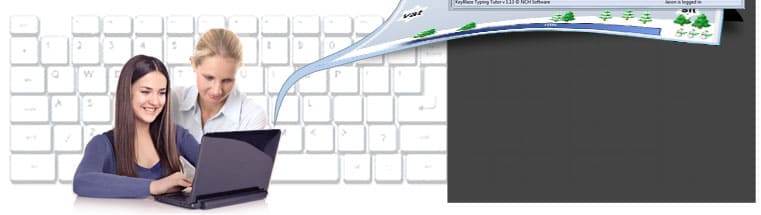
KeyBlaze Typing Tutor

Learn to touch type & speed type including fun typing games


Typing tutor software designed for learning touch typing, 10 key and speed typing.
  • Perfect for people of all skill levels
  • Improve and test your typing speed and accuracy
  • Learn to type effectively and efficiently in no time
Get it Free. Download the free version of KeyBlaze here to improve or start learning how to type now. You can always upgrade later for additional typing lessons, professional exercises and other custom features. 


System Requirements
  • Works on Windows XP, Vista, Windows 7 and 8
  • Mac OS X 10.3 or later 
Click to Download
  Typing Tutor Features
  • Typing lessons for home keys, neighbor keys, capitalization, punctuation, numbers and more
  • Practice exercises include trouble words, drills, prose and poems
  • Dictation audio exercises for transcription practice
  • Initial skills test to determine current level
  • Test typing skills at various interval durations
  • Includes a typing game to practice typing skills
  • Calculates net and gross words per minute WPM, or keys per minute KPM on the 10 key number pad
  • Keyboard highlighting shows correct finger placement
  • Identifies troublesome words and characters where you need more practice
  • Import custom lessons, drills, and speed tests
  • Sound and color highlighting notify you of mistakes
  • Set personal words per minute speed goals
  • Printable course completion certificates
  • Wizard guides you through typing lessons
  • 10 key number pad lessons
  • Save typing test results to a csv or tsv report
  • Quick and easy operation 

Typing Master Pro

Typing Mater Pro 
Touch typing tutor

  •  Learn the powerful touch typing techniques.
  •  Double your typing speed to save time.
  • Interactive training with a personal approach.


Your Personal Typing Tutor

Meet TypingMaster Pro, the personal touch typing tutor that adapts to your unique needs. The program provides customized exercises and helpful feedback to guide you step by step to professional keyboarding. 
As a result your typing speed will increase significantly saving you a lot of valuable work time.
Adjusts to Your Progress
At every stage training is adjusted to your personal progress. Weak spots are pinpointed and rapidly eliminated with additional exercises. Thanks to this personal approach you can put your new skills into action after only 3 to 5 hours of training.


The Benefits of Touch Typing

With TypingMaster Pro you can learn the touch typing technique and bring your keyboarding to a whole new level.
Your typing will become as easy and fluent as speaking, enabling you to complete writing tasks with a new level of efficiency. You will save loads of time as you create reports, emails and presentations much faster.
Additionally, you can stop hunting for keys and focus solely on your text and ideas, giving yourself more freedom for creativity.
Accelerate your typing speed
With TypingMaster a novice keyboard user can learn to type many times faster. Clumsy typing will no longer interrupt the flow of your thoughts!
Get rid of typos
Get rid of those annoying typing errors and increase the quality of your texts.
Save valuable work time
Learning to touch type will help save dozens of working hours each year as you type faster and do not need to correct errors constantly.
Focus on your text and ideas
With fluent keyboarding skills you can put your brain power into expressing your thoughts instead of finding the right keys.
Improve your ergonomics
Natural, efficient finger movements and no need to look at the keyboard results in less stress in fingers, arms and neck.
Be confident with computers
Improved typing skills will help take full advantage of your computer as you become more confident with the keyboard.

Top typing games

Top typing games


Largest online typing games collection, more hundred typing games. TOP 20.


Touch Typing Tutor

Touch Typing Tutor


Click to Download

 Full courses for Beginner, Advanced and Expert typists

The beginner course helps to learn the position of keys on the keyboard. After completing this course, you will know which finger to use to hit each key without looking at the keyboard. The course also covers upper-case letters, special symbols, and the numeric pad.
The advanced course helps to improve your typing speed by memorizing frequently used syllables and words.
The expert course helps you to perfect the skills acquired by typing an actual text.
* Expert courses are available for: English, Arabic, German, Greek, Spanish, Russian keyboards.
* Basic course is available for all keyboards.

Virtual Keyboard

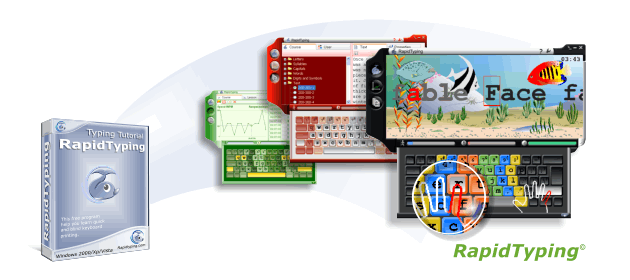
Keyboard emulation.To help you learn how to place your fingers on the keyboard, Typing Tutor displays a virtual keyboard with zone highlights. In this way, you'll always know which hand belongs to which zone.
This way, you'll always know which hand belongs to which zone.
Typing Tutor supports almost all keyboard layouts, included QWERTY, Dvorak, Dvorak for left or right hand, BEPO, Colemak, QWERTZ, AZERTY, ABNT2 and many others layouts.
RapidTyping supports one, two and tree block keyboads. The numeric pad is also covered.

Moving Hands

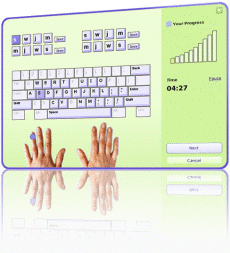
Moving Hands To further simplify your typing lessons, Typing Tutor displays two moving hands over the keyboard. The hands show which finger you have to use to press the current key.

Progress Tracking

Training statistics: wpm, cpm.You can evaluate your own performance or that of your kids or students at any time by simply looking at charts. Rapid Typing Tutor tracks your progress, and allows you to view your results at any time.
Your statistics are represented as tables and charts, allowing you to view your progress and motivating you to take yet another lesson.
The statistics reflect your typing speed and accuracy, complete with a summary at the end of each lesson.

Lesson editor

Personal typing exercises creation.You can also create a course of your own. RapidTyping offers a built-in course editor that lets you insert txt or rtf text segments of any size.
The editor can split a long text into lessons of specific length.
The editor shows the number of words and symbols in a lesson and the ratio between letters and the TAB and ENTER special keys. The editor filters out symbols that are missing on the existing keyboard from the imported text (such as special Word symbols or foreign-language symbols).
Symbols covered by the lesson are highlighted on the virtual keyboard.

Make Your Own Plan

Free typing lessons choice. Plan your lessons according to your skills and capabilities. Rapid Typing Tutor offers you complete freedom of learning, allowing you to make your own lessons and plan your studies. No need to force yourself into a Procrustean bed of pre-defined learning plans!
Rapid Typing Tutor allows accessing any lesson at any time, from easiest to most advanced.

Uses the simple and colourful interface

Uses the simple and colourful interface.Typing Tutor is not just another boring keyboard training tool. With numerous colorful themes and avatars and a game-like environment, Typing Tutor makes learning typing fun for both adults and children. A built-in typing game makes learning to type an easy and entertaining experience.

Classroom use

Multiple users support.Multiple users with custom settings are supported. We recommend installing RapidTyping on a local server in a classroom, so that it can be easily run on each workstation over the network.

Possible for run without installation.

Possible for run without installation.There is a portable version.
-Download formats: ZIP-archives, Windows SFX-archives.

Acceptable for children.

Acceptable for children. Rapid Typing Tutor is simple even for the children.

Multi-Language interface.

Multi-Language interface.Interface language are available for your choice.
Albanian, Arabic, Bosnian, Bulgarian, Chinese Simplified, Chinese Traditional, Dutch, Estonian, English, Estonian, Farsi, French, German, Greek, Indonesian, Italian, Latvian, Lithuanian, Portuguese, Portuguese Brazilian, Russian, Serbian, Slovak, Spanish, Turkish, Ukrainian

RapidTyping is completely free.

RapidTyping is completely free.-No usage limitation. Free for personal or corporate use.
-We don't ask you for your mail or registration.
-No nag-screens.
-No spyware/adware in the software.
And of course you don't have to pay to get the software and share it with friends.

TypeFaster Typing Tutor


TypeFaster Typing Tutor

About TypeFaster

This free typing tutor teaches you how to touch-type. Once you can touch-type you will not need to look at the keyboard to find the letters you want to type. The program comes in three versions: Standard, Accessible and Spanish. Use the menu on the left to navigate to the version you are interested in.

The version of TypeFaster Typing Tutor that is installed can be set when the installer is run.
Single-user This is for one user on one computer.
Multi-user This is for several users on one computer. For example, each of your family members can have their own login. The settings and progress of each user is stored.
Multi-user with teacher support This version is designed for use in a school. It must be installed in one place only, for example in a shared, writable network folder. Ideally in its own fairly small partition but with some space for new users. In this version there are two types of users: ordinary users and users with teacher privileges.
When ordinary users (pupils) login, they must select a teacher. The pupil will then get the lesson files that that teacher specified. So there should be a teacher's name for each different set of lesson files. An example of a teacher's login name is:
'Mr Smith'
If Mr Smith teaches typing to two different grades then he should create a different login for each grade, so for example, he could then create two users with teacher privileges:
'Mr Smith's Grade 8s' and
'Mr Smith's Grade 9s'
and give them different lesson files.